
ZebraBench benchmarks LLM inference endpoints right in your browser. It tests one or more endpoints at the same time. You do not need to start a VM, set up a Python environment, or install packages.
Enter the URL of any OpenAI-compatible endpoint and an API key. Load the available models, select the models you want to compare, and run a benchmark. ZebraBench measures time to first token, token throughput, end-to-end latency, accuracy, token usage, and estimated cost. You can export the results as CSV or JSON for more analysis.


Screenshots
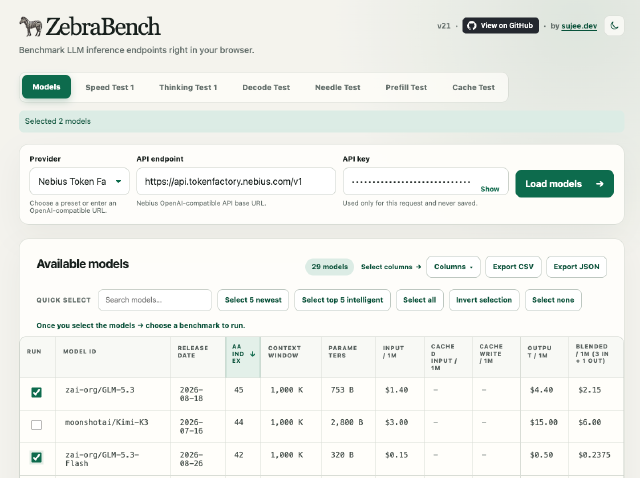
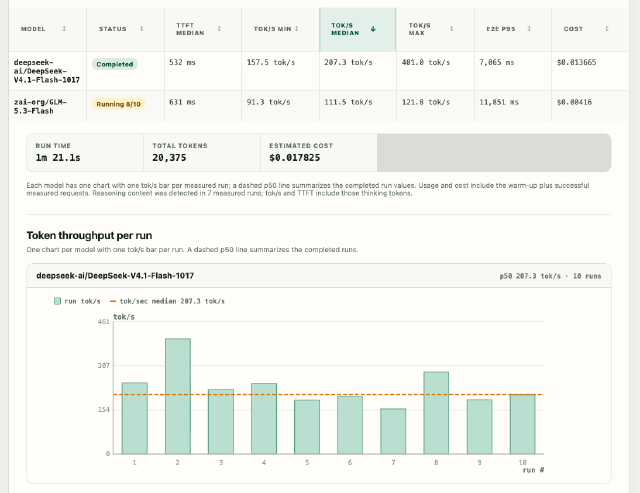
Posts
I write about how I build ZebraBench, and what I learn when I benchmark LLM inference endpoints.
What it measures
ZebraBench has six benchmarks (and expanding):
- Speed Test - output speed. It records one tokens-per-second value for each run and shows a chart for each model.
- Thinking Test - accuracy and token cost, with reasoning on and with reasoning off.
- Decode Test - output speed at different output lengths, as seen by the client (p50 and p90 for each length).
- Needle Test - long-context retrieval. It hides one “needle” at different positions in a long document (by default, 90% of the context window). The result is a “lost in the middle” accuracy matrix, plus TTFT and input tok/s for each position.
- Prefill Test - prefill speed for long prompts, from 10K to 1M input tokens. It shows how fast the endpoint reads each prompt size.
- Cache Test - prompt-cache effect. It asks the same question three ways: short, padded to a large size, and padded with a new nonce each time (no cache). It reports the cache hit %, the TTFT drop, and the cost drop.
The Needle and Prefill tests can send large prompts. Before they start, they show the planned requests, input tokens, and estimated input cost.
ZebraBench is a quick benchmark. It does not replace full benchmarking tools.
ZebraBench started as part of my Practical LLM Evals toolkit. It is now a separate project.